EDDIDESIGN
CallWhatsAppGet a quote
Business software & web app · 2026

Eddibot

Eddidesign

GestionaleWeb AppPWA
Eddibot

The project

Brief

Nobody commissioned this project: the client is us. It started from a count done one evening, working out how many hours a week went into things that were not work for a client. Looking for local businesses that would need a website, opening their sites one by one to see how they were doing, rewriting the same quote from scratch with two lines changed, and then not remembering who we had written to and when. All of it scattered across a few spreadsheets, a message group and whoever happened to remember. Before building anything we looked at what we could buy. Agency management tools exist, so do prospecting tools, so do quoting tools: three separate subscriptions that never speak to each other, and none of the three designed for the way a small studio works. So we built it ourselves, one piece at a time, each time starting with whatever was wasting the most time.

The challenges

  • The same information scattered across spreadsheets that never spoke to each other
  • Prospecting done by hand, and therefore almost never done
  • Some external services are billed by usage and the bill lands at the end of the month
  • A tool needed away from the office, so on a phone

The solution

Eddibot does three things, in the order they actually happen: it finds, it convinces, it closes. Finds. You give it a sector and an area, say the florists between Soncino and Orzinuovi, and it goes and fetches the businesses that are there. Then it ranks them: at the top go the ones you can actually reach that do not have a website yet, the only ones worth picking up the phone for. Overnight it checks again and adds the new ones, so the list is already up to date in the morning. Convinces. Before writing to anyone, it opens the site they have now and loads it the way a customer would. It measures how long that takes, looks at whether it reads well on a phone, whether Google finds it, what it was built with. Out comes a sheet listing that site's real problems, and from there the first email talks about them instead of about us. Closes. The quote is assembled from the price list and comes out as a PDF, emails and appointments stay attached to the client's record, hours are logged while the work happens. When a deal that stalled two months ago comes back, everything that was said is written down. Underneath sits the software itself: one archive instead of ten files, people signing in each with their own permissions, and the repetitive things happening on their own while nobody is watching. It opens in any browser and installs on a phone like an app, because half of this work happens away from the office. It is also why bespoke software is one of the services we offer today: before proposing it to anyone we built it for ourselves, and we use it every day. A note on the screenshots below: they come from the test installation, the one the software is tried on before any change goes into use. That is why the counters are at zero and the company names are obscured. The real data sits on the installation we work with, which we do not show.
What we made

The pieces of the project

The front door

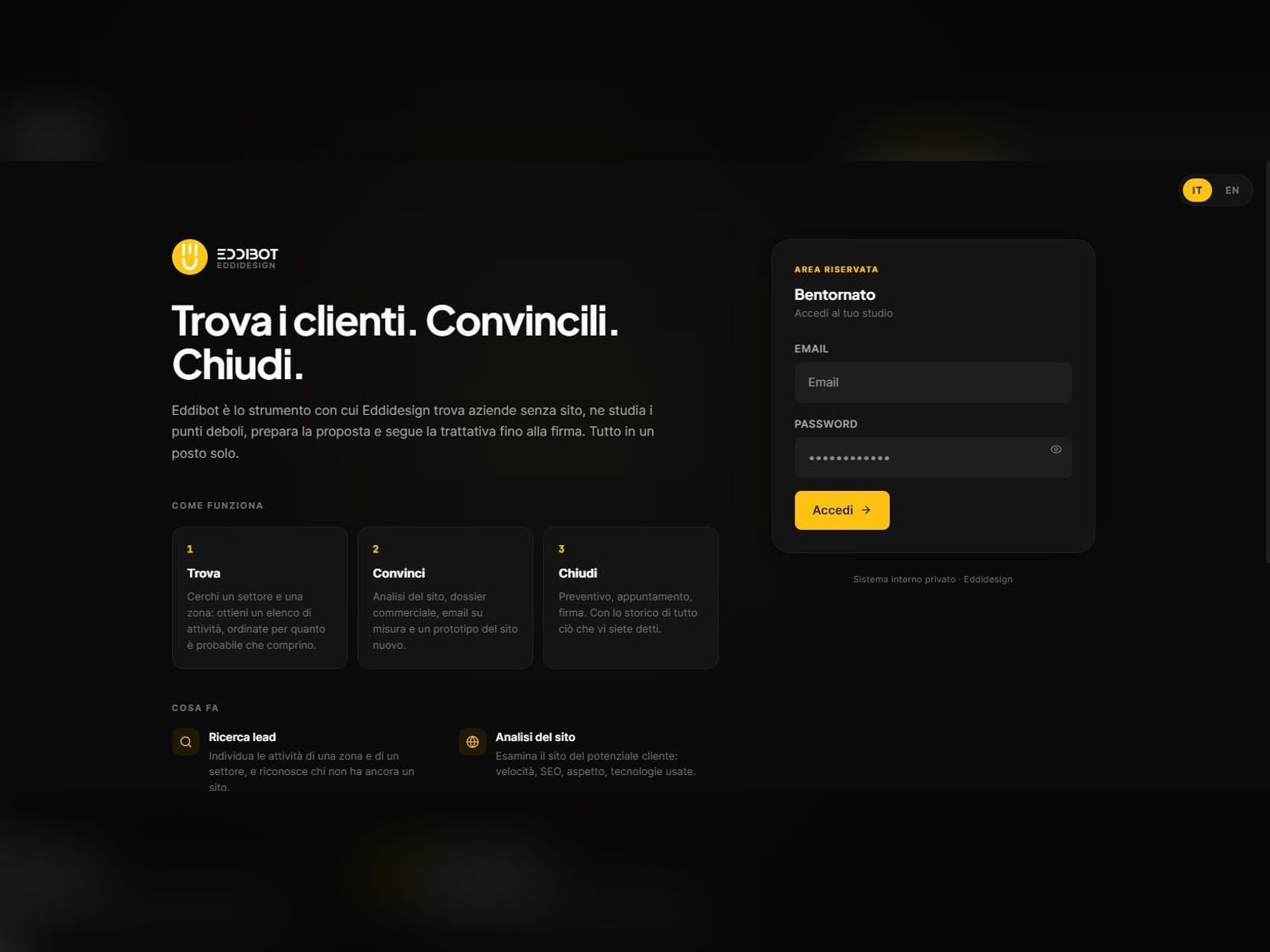
Even an internal tool has a first screen, and it is worth doing it properly: three boxes say what the software does, it finds, it convinces, it closes, with the login on the right and nothing to hunt for. It is also the page we show to anyone who asks us about bespoke software, so it had to hold up to a stranger's eye.

See the page
The front door

The dashboard

The first screen says how the studio is doing: clients, quotes this month, prospects found, hours this week and how much to set aside for tax. Along the top sit the usage counters of the metered external services, because that bill lands at the end of the month and it is better to see it coming. The numbers are at zero because this is the test installation, the one the software is tried on before every update. The real numbers are on the other one, the one we work with every day.

The dashboard

Finding the clients

You pick a sector and an area, and the software pulls out the businesses that are there, taking them from the maps. Then it ranks them: at the top the ones with a contact you can reach that do not have a website yet, which is the reason the call makes sense at all. Every night the job runs again on its own and in the morning the new names are in the list. This is the part we almost never used to do, because by hand it meant losing an evening.

Finding the clients

Looking at the site they have now

Before writing to anyone, the software opens the site they have now and loads it the way a customer would, in a real browser. It measures the speed, looks at whether it reads well on a phone, whether Google finds it, what it was built with. It serves two purposes: seeing whether there is genuinely something to improve, and having something to say in the first email without inventing compliments.

Looking at the site they have now

On every screen

One website, three different screens

It is not a cut-down version for phones: the content rearranges itself around the width it is given, so it stays readable and comfortable everywhere.

The Eddibot home page seen on a desktop computer
The Eddibot home page seen on a tablet
The Eddibot home page seen on a phone
It works on any device, so it stays easy to use wherever you are: on a computer at the office, on a tablet on the sofa, on a phone while you are out.

The process

First version

2026

Client records, quotes and time tracking.

Acquisition

2026

Prospecting, site audits and first contact.

Daily use

2026

Install as an app, notifications and jobs running overnight.

Degree in Graphic Design8+ years in the field5+ in-house jobs behind us46 projects35+ clients14+ websites live€15,000+ in gearCoffees: too manyPhotos taken: we lost countCameras: always one too many